Give the workflow a visible structure.
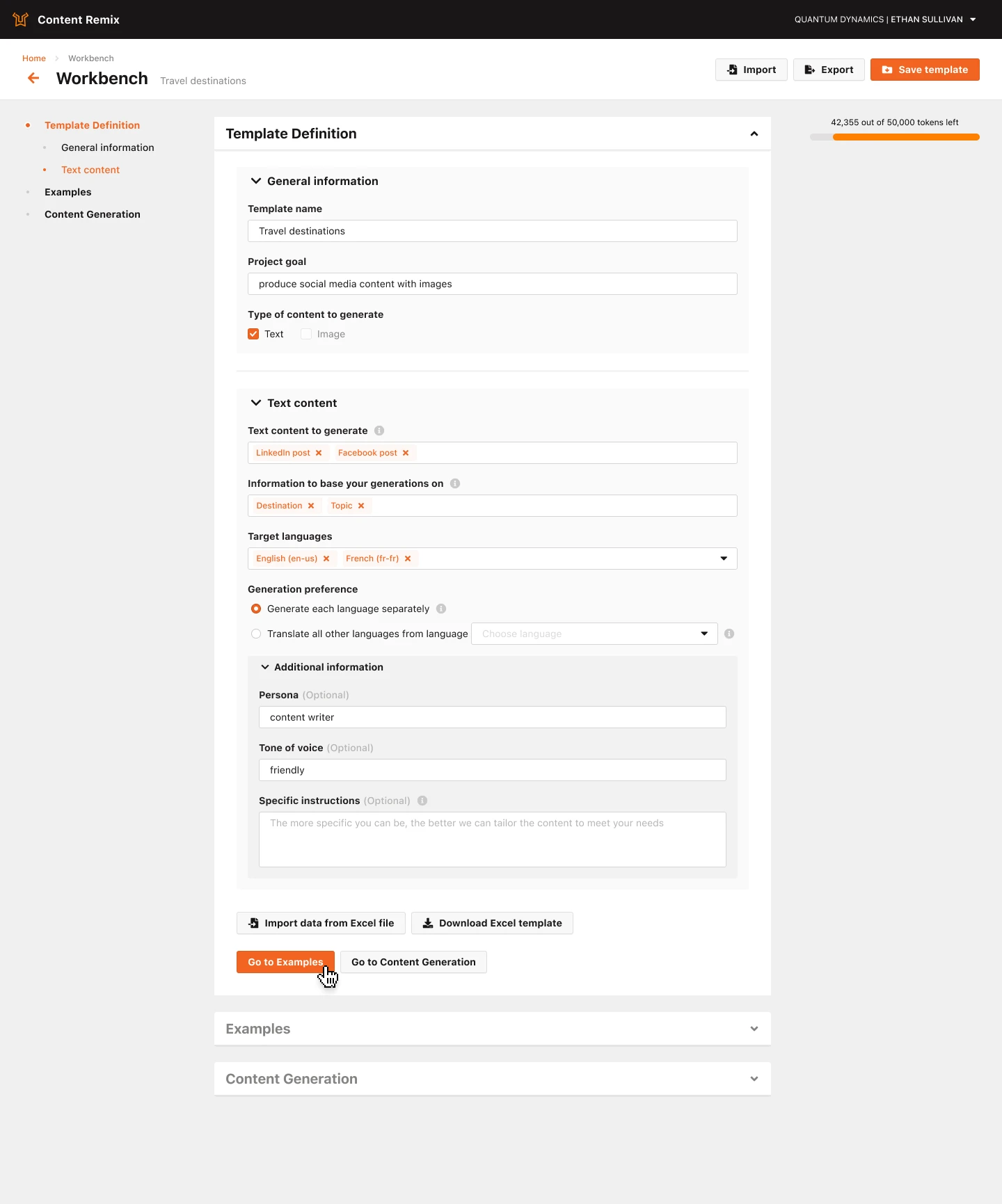
I organized the workbench into Template Definition, Examples, and Content Generation. Separating reusable setup from generation gives people a recognizable place to return to each part of the process.
I owned end-to-end UX and UI design for Content Remix, bringing reusable briefs, AI generation, and content review into one workbench.
Creating content with AI means making several connected decisions: what source material to use, what to produce, which languages to support, and how to guide the result. A useful product has to make those choices understandable and the outputs manageable.
I owned UX and UI across Content Remix and took on product-management responsibilities for the application. My work connected research and journey mapping with detailed interfaces and designs supporting development planning.
How can one workbench support a clear first generation—and the structure people need to repeat the work?
I studied interface patterns in tools including Copy.ai, Jasper, and Grammarly: navigation, prompt guidance, settings, and how generated content was presented. I also mapped user journeys, roles, permissions, and subscription scenarios.
That work helped connect the creation experience to the account and customer structures around it. The design needed to support a reusable workflow, as well as an individual request.
Make the brief explicit.
Give the setup context.
Produce and review outputs.
I organized the workbench into Template Definition, Examples, and Content Generation. Separating reusable setup from generation gives people a recognizable place to return to each part of the process.
The template asks for a name, project goal, input fields, and output types. Optional persona, tone, and specific instructions sit in an additional-information section, keeping core requirements distinct from extra guidance.
Generating separately in each target language and translating from one source language are different strategies. I gave them explicit controls so the choice is visible in the setup.
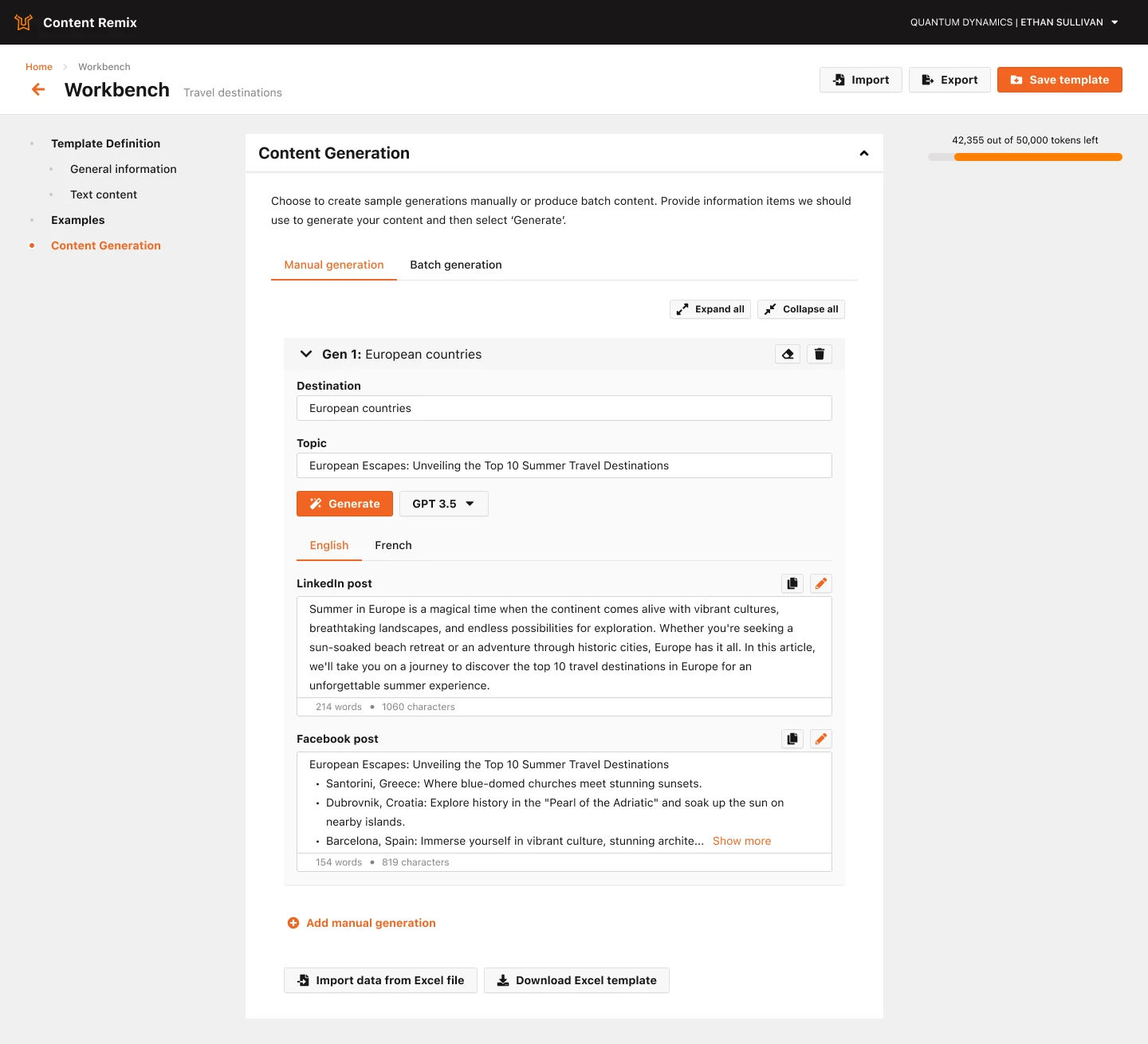
Channel-specific results have their own copy and edit actions, with word and character indicators. Language tabs organize the results so people can review one output without navigating a single long response.
Reusable templates, spreadsheet entry points, generation cards, and expand/collapse controls support work beyond a single request. Manual and batch entry points offer distinct ways into content creation.
For image-based use cases, previews open within the generation context. This keeps the source available while someone works with the resulting product description, travel content, or transcription.
I produced intermediate designs for planning and detailed interfaces for development. The work connected template configuration, generation, multilingual output, and source inspection into a consistent experience.
This project reflects how I approach AI products: designing the work around the model, including how people express intent, understand options, repeat a task, and review what comes back.
Lionbridge was selected for the 2025 list, with Content Remix highlighted in the company announcement.
Read Lionbridge’s announcement